Selecting the right tool for securing your digital accounts involves more than just picking a popular brand from an app store. When you are focused on choosing a Password Manager for Everyday Use, you must prioritize security features, cross-device synchronization, and an interface that does not get in your way.
Most people struggle because they do not know which specific features distinguish a professional-grade vault from a basic browser extension. By focusing on encryption standards, auditing capabilities, and recovery options, you can find a solution that protects your identity without adding unnecessary friction to your daily login routines.
The Core Security Standards You Should Demand
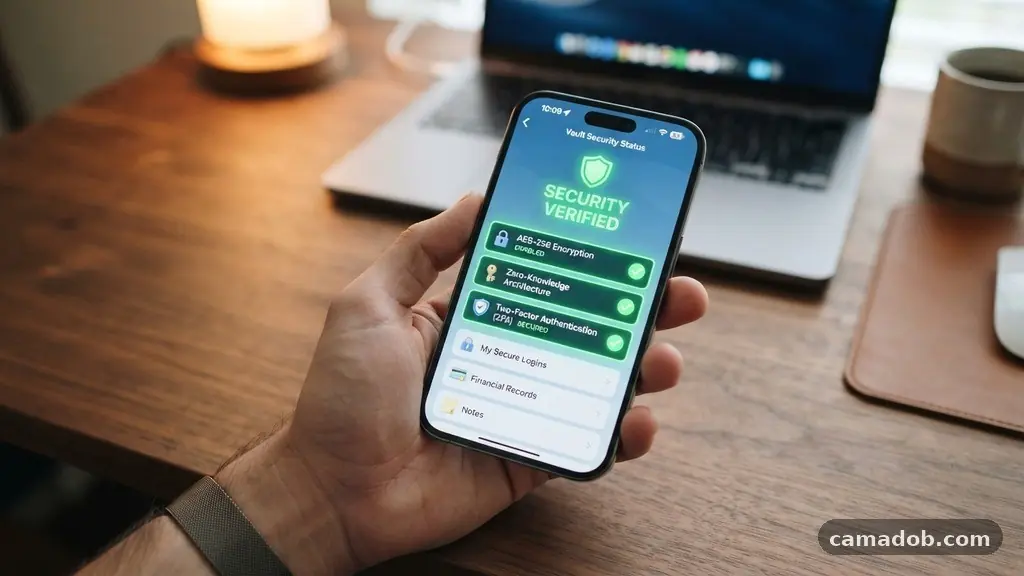
When you begin choosing a Password Manager for Everyday Use, the most critical factor is the underlying encryption. You should look for services that utilize AES-256 bit encryption, which is the gold standard for protecting sensitive data against brute-force attacks. This level of security ensures that even if a server were compromised, your individual vault remains unreadable to hackers.
Another non-negotiable feature is the zero-knowledge architecture policy. This means that the service provider never has access to your master password or the unencrypted data stored within your vault.
The decryption process happens locally on your device, meaning only you hold the keys to your digital identity. If a company stores your master password on their servers, you should immediately remove them from your list of potential providers.
You should also verify that the service supports multi-factor authentication (MFA). Using an authenticator app or a physical security key provides a second layer of defense that is significantly more secure than simple SMS-based codes.
When a password manager integrates smoothly with hardware tokens like YubiKey, it significantly reduces the risk of account takeover. This combination of local encryption and hardware-backed authentication is the bedrock of modern digital safety.
Comparing Popular Password Manager Models
Not all managers operate under the same business model or technical structure. Some are cloud-based, allowing you to sync passwords across every smartphone, tablet, and computer you own.
Others are strictly local, keeping your data siloed on a single machine to minimize the attack surface. Understanding these differences is vital for choosing a Password Manager for Everyday Use that fits your lifestyle.
| Feature Category | Cloud-Syncing Manager | Local-Only Manager |
|---|---|---|
| Primary Benefit | High convenience and mobility | Maximum data privacy |
| Data Location | Encrypted cloud server | Local hard drive only |
| Backup Method | Automatic cloud redundancy | Manual user-led backups |
| Device Access | Syncs across all platforms | Single device access |
Cloud-based options offer the most convenience for the average user, as they handle the heavy lifting of updating logins across devices automatically. If you use a laptop for work and a mobile phone for personal browsing, a cloud-synced vault ensures you never have to manually update a password in two places.
For those with high-security needs who rarely switch devices, a local vault provides peace of mind by keeping data entirely offline. You must weigh the trade-off between constant availability and total physical control over your files.
Evaluating the User Interface and Experience
Even the most secure tool will fail if it is too difficult to operate regularly. A password manager should integrate directly into your web browser or operating system, allowing you to autofill credentials with a single click. If you find yourself having to copy and paste passwords manually every time you log in, you are likely to abandon the tool within a few weeks.
Look for a clean, intuitive layout that allows for easy categorization of your data. You will likely store more than just website logins; many people use these tools to secure Wi-Fi passwords, software license keys, secure notes, and digital copies of important documents.
A robust search function is essential once your vault grows to include hundreds of entries. Being able to tag items or create folders helps you keep your digital life organized rather than turning your vault into a cluttered mess.
The speed of the browser extension is also a key indicator of quality. It should detect login forms accurately and prompt you to save new passwords as soon as you create them.
If the extension consistently fails to recognize fields or pops up at inconvenient times, it will degrade your daily experience. You can read more about the importance of secure identity management through resources provided by the Cybersecurity and Infrastructure Security Agency regarding digital protection.
The Importance of Password Auditing
One of the most powerful features you should look for is an automated security dashboard. This feature scans your stored passwords for common vulnerabilities, such as reuse across multiple sites or the use of weak, easily guessable strings. When you are choosing a Password Manager for Everyday Use, this audit tool acts as your personal digital security guard.
A high-quality manager will flag passwords that have appeared in known data breaches. It should also provide a clear, simple path to changing those compromised credentials without requiring you to manually visit each site’s security page. Some platforms offer an “auto-change” feature that navigates the process for you, turning a tedious afternoon of updates into a five-minute task.
You should also check for a “password health” score. This metric gives you a high-level view of how secure your overall digital footprint is.
Seeing a score improve as you replace weak passwords with randomly generated ones provides a sense of progress. It transforms the act of security from a chore into a rewarding habit that builds your confidence.
Managing Shared Access and Family Accounts
If you live with others, you may need a way to share credentials securely without sending them via unencrypted emails or text messages. Many modern password managers include secure sharing features that allow you to grant access to specific logins or folders. This is perfect for sharing streaming service accounts, home utility portals, or shared financial accounts.
When choosing a Password Manager for Everyday Use, consider whether you need a family plan. Most providers allow you to add multiple users to a single subscription, often at a significant discount compared to paying for individual accounts. Each user maintains their own private vault, but they gain the ability to share items with other family members instantly.
Ensure that the sharing mechanism is granular. You want the ability to choose whether the recipient can see the password or just use it to log in.
You should also be able to revoke access at any time. This level of control is essential for maintaining security while collaborating with family or trusted colleagues on everyday tasks.
Handling Recovery and Emergency Access
Losing access to your master password is a nightmare scenario that can result in the permanent loss of all your stored data. Because these services are designed with zero-knowledge encryption, the company cannot simply “reset” your password for you. You must prioritize providers that offer robust recovery options, such as emergency access contacts.
Emergency access allows you to designate a trusted friend or family member who can request access to your vault after a predetermined waiting period. If you are incapacitated or lose your master password, they can unlock your data. This feature provides a necessary safety net without compromising your security during normal operation.
Some services also provide a recovery key or a printed “emergency kit” when you first set up your account. You should store this physical paper in a secure location, such as a fireproof safe or a bank deposit box.
Never store your recovery key on your computer or in an unencrypted file. Relying on a single point of failure is a risk you should avoid at all costs.
Pricing Models and Subscription Value
The cost of password management software can range from completely free to a monthly subscription model. Free versions of many managers are surprisingly capable, often offering basic syncing and unlimited password storage. However, they sometimes lack advanced features like secure document storage, emergency access, or priority customer support.
When choosing a Password Manager for Everyday Use, you should calculate whether the paid tier offers enough value to justify the recurring cost. For most individuals, paying for a premium subscription is worth the price for the added convenience of cross-device sync and shared folders. You are essentially paying for a service that protects your identity, which is a small price compared to the potential cost of a compromised bank account or identity theft.
Look for transparency in pricing. Avoid companies that hide their subscription terms or make it difficult to cancel.
Most reputable providers offer a yearly billing option that is cheaper than the monthly rate. Take advantage of free trials to test the interface before committing to a long-term plan, and ensure the company has a track record of reliable service.
Key Considerations for Mobile Integration
Because we perform so many tasks on our smartphones, mobile integration is just as important as desktop compatibility. A good password manager should integrate with your phone’s biometrics, such as FaceID or fingerprint scanning. This allows you to open your vault and autofill credentials without typing your long master password every time you unlock your phone.
The app should also be able to fill passwords into other mobile applications, not just web browsers. If your manager only works inside its own proprietary browser, it will be frustratingly limited. You want a tool that lives in the background of your OS, ready to trigger whenever you tap on a login field in any app.
* Biometric Support: Does it use your phone’s native face or fingerprint scanner?
* App Autofill: Can it fill passwords in apps like banking or social media?
* Offline Access: Can you view your vault if you have no cellular signal?
* Sync Speed: Does it update changes instantly across all your devices?
Testing these features on your specific mobile device is a crucial step in the process. If the app feels sluggish or fails to trigger the autofill prompt consistently, look for an alternative. Your mobile experience should be fluid and fast, as this is where you will likely use the tool the most frequently.
Frequently Asked Questions
Is it safe to store my passwords in the cloud?
Yes, provided the service uses zero-knowledge encryption. Because your data is encrypted locally before it ever reaches the cloud, the service provider cannot see your passwords. Even in the event of a server breach, your data remains protected by your unique master password which only you know.
What happens if I forget my master password?
In most cases, you will lose access to your data unless you have set up a recovery method. This is why it is vital to store your recovery key or emergency access setup in a secure physical location. Always verify that your chosen provider offers a way to recover your account before you start adding sensitive data.
Do I really need a paid password manager?
While free versions exist, paid plans often include essential features for power users. These include secure document storage, advanced audit tools, and priority support. If you share passwords with family members or need to manage a large volume of data across many devices, the convenience of a paid plan is usually worth the investment.
Can a password manager be hacked?
While no software is perfectly immune to risks, the architecture of modern password managers makes them extremely difficult to compromise. The biggest threat is usually user error, such as choosing a weak master password or failing to enable multi-factor authentication. As long as you use a strong, unique master password and keep your software updated, your data is significantly safer than it would be if you reused passwords across websites.
How do I switch from my browser’s built-in password tool?
Most password managers include a simple import feature that can pull passwords directly from your browser’s saved list. Once you have imported them into your new vault, you should delete the saved passwords from your browser to avoid confusion. This migration process usually takes only a few minutes and is the best way to get started with a dedicated manager.
Moving Forward with Your Digital Security
Choosing a Password Manager for Everyday Use is one of the most effective steps you can take to protect your online identity. By focusing on zero-knowledge encryption, multi-factor authentication, and a user experience that suits your specific devices, you can move away from the dangerous habit of reusing weak passwords. Security should not be a barrier to your daily life, but rather a silent, effective tool that runs in the background.
Start by auditing your current password habits and identifying which accounts are most vulnerable. Once you have selected a provider that fits your needs, dedicate time to updating your most important logins first.
This is a journey toward better digital habits, and every password you secure makes your online presence more resilient. Take the time to set up your vault correctly today, and enjoy the peace of mind that comes with knowing your digital life is truly protected.