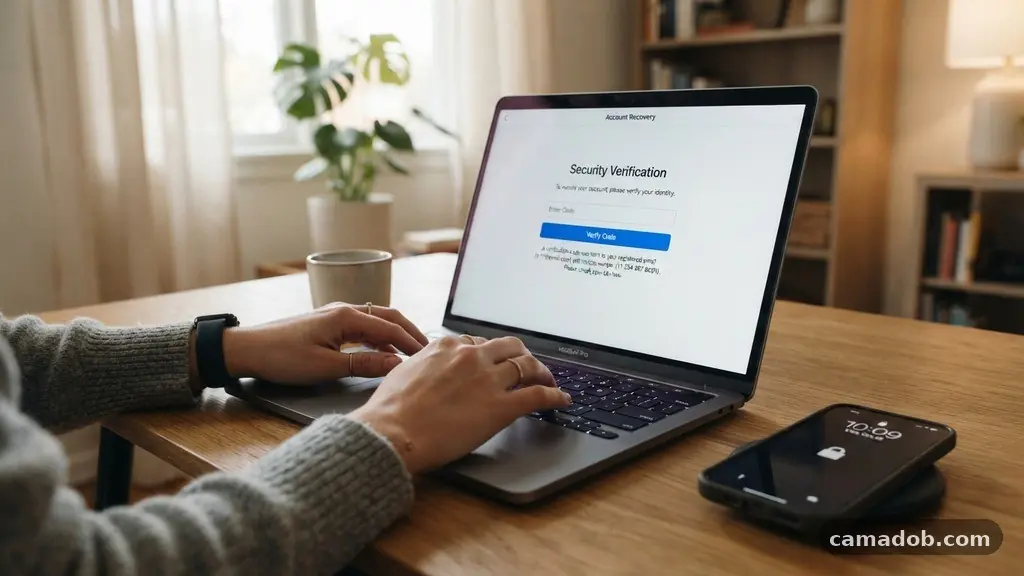
Losing access to your digital life because you no longer have the device associated with your multi-factor authentication can feel overwhelming. When you are focused on recovering access to an online account without your old phone number, the process often feels like a series of closed doors. However, most major platforms have built-in protocols specifically for these moments of technical friction.
By understanding the verification layers behind your credentials, you can navigate the recovery process effectively. This article helps you identify the specific steps and alternative verification methods required to regain control of your digital identity, ensuring you can move forward securely without unnecessary panic.
Immediate Steps for Account Recovery
The most direct way to resolve this issue is to look for the “Try another way” or “I don’t have access to this phone” link on the login screen. Most modern platforms, including Google, Microsoft, and Apple, anticipate that users will change phone numbers and provide a secondary path for authentication.
If you have previously set up a recovery email address, this is almost always the fastest route to regaining entry. You should immediately check your secondary email inbox for a security code or a password reset link sent by the service provider.
If you are logged into the account on another device, such as a laptop or a tablet, you may already have a “trusted device” status. Many services allow you to approve a new login request from an existing, authenticated session. Check your notifications on those secondary devices to see if a prompt has arrived asking you to verify your identity.
This is often the most reliable way to bypass SMS verification entirely. If you have not set up these alternatives, you will need to rely on the account recovery form provided by the platform’s security team.
Using Backup Codes and Recovery Keys
Many high-security services provide backup codes when you first enable two-factor authentication. These are strings of digits you were likely instructed to print or save in a secure location during your initial setup.
If you saved these codes in a password manager or a physical safe, now is the time to use them. These codes are specifically designed to be used when you cannot receive an SMS verification code, making them the ultimate fail-safe for account access.
If you cannot find your backup codes, you should search your digital files for any documents titled with the name of the service and the word “recovery” or “keys.” Some users store these as screenshots or text files on cloud storage services.
Be aware that these codes are typically single-use only. Once you successfully regain access using a backup code, you should immediately update your security settings to include a current phone number or a new authenticator app.
Leveraging Authenticator Apps
If you previously set up an authenticator app like Google Authenticator, Microsoft Authenticator, or Authy, you might still have access even if your phone number has changed. These apps generate time-based one-time passwords (TOTP) that do not require an active SIM card or cellular service.
As long as the app is installed on a device you still possess, the codes will continue to function correctly. This is one of the primary reasons security experts recommend app-based authentication over SMS.
If you have a new phone but no longer have the old one, you may be able to restore your authenticator app data from a cloud backup. Many modern authenticator apps offer encrypted cloud syncing features that allow you to move your credentials to a new device seamlessly.
Check the settings of your authenticator app to see if a recovery or sync option is available. If you successfully restore the app, you will be able to generate the necessary codes to complete the login process for your accounts.
Filling Out Official Account Recovery Forms
When standard options fail, platforms often require you to submit an official account recovery form. This process typically involves answering a series of security questions or providing specific information about your account history.
You might be asked for the last password you remember, the date you created the account, or common contacts you have emailed. The more specific your answers are, the higher the chance that the platform’s automated systems will verify your identity.
Be prepared to provide proof of identity if the platform has a manual review process. Some services may ask you to upload a photo of a government-issued ID to confirm you are the legitimate account holder.
While this can take several days, it is often the final bridge to regaining access when all other automated methods have been exhausted. Ensure you are accessing the official support page, such as the official Google Account recovery guidelines, to avoid phishing attempts.
Managing Security Questions and Trusted Devices
Security questions are an older method of verification that many platforms are moving away from, but they remain relevant for some legacy accounts. If you set these up years ago, try to recall the specific answers you provided, including any potential typos you might have made at the time.
These questions usually relate to personal history, such as the name of your first pet or your high school mascot. While simple, they can be a lifesaver when you lack access to your old phone.
Trusted devices play a crucial role in modern security architectures. A device is considered “trusted” if you have successfully logged in from it before and selected the “remember this device” option.
If you have ever logged into your account from a home computer, that machine may still have a persistent browser cookie that allows you to bypass secondary verification. Always check your browser’s cache or history on such devices to see if you can trigger a password change or security update while the session is still active.
Comparing Recovery Methods
Not all recovery paths are equal in terms of speed and reliability. Understanding which methods are available to you can help you prioritize your efforts when you are locked out. The following table highlights common recovery scenarios and their general effectiveness for users who no longer have their old phone number.
| Recovery Method | Speed | Reliability |
|---|---|---|
| Recovery Email | Fast | High |
| Backup Codes | Instant | Very High |
| Authenticator App | Instant | High |
| Recovery Form | Slow | Variable |
| Customer Support | Very Slow | Low |
Reaching Out to Customer Support
If you have exhausted all automated recovery paths, contacting the service provider’s support team is your next step. This process usually involves opening a customer support ticket through the platform’s help center.
You will need to provide as much context as possible regarding your inability to access the account. Be honest about the change in your phone number and clearly state the steps you have already attempted to resolve the issue.
It is important to remember that support agents have strict security protocols to prevent unauthorized access. They will likely ask you to verify your identity through multiple channels before they make any changes to your account settings.
Do not provide passwords or sensitive financial information via email. Wait for an official response through the platform’s secure ticketing portal to ensure you are communicating with a legitimate representative.
Updating Security After Regaining Access
Once you successfully recover access to your account, your first priority should be updating your security information. Immediately replace the old phone number with your current one to prevent future lockouts.
This is also an excellent time to add multiple recovery email addresses and ensure your password is unique and strong. By diversifying your recovery options, you create multiple safety nets that protect you in case you lose access to a single device or service in the future.
Consider switching to a password manager if you are not already using one. These tools can store your backup codes, recovery keys, and complex passwords in an encrypted vault, making it much easier to manage your digital life. Additionally, take a few minutes to review the “Security” or “Privacy” section of your account settings to see if the platform offers any new, more convenient ways to handle identity verification, such as biometric authentication or hardware security keys.
Frequently Asked Questions
Can I recover my account if I don’t remember any security answers?
If you cannot remember your security answers and lack access to your recovery email or phone, you will likely need to rely on the account recovery form. Try to provide as much metadata as possible, such as recent IP addresses, frequently contacted email addresses, or specific service usage dates, to help the system verify your identity.
What if the recovery form keeps rejecting my information?
If the automated form rejects your input multiple times, wait at least 24 to 48 hours before trying again. Repeatedly submitting the same incorrect information can sometimes trigger a temporary block on the recovery process. Ensure you are submitting the form from a location or device that the service provider typically associates with your account history.
Is it possible to use a friend’s phone number to recover my account?
Using a friend’s phone number is generally discouraged because it creates a security risk for your account. If you must use a temporary number, ensure it is someone you trust completely and change it to your own number as soon as you regain access. Keep in mind that some services may detect that the number has been used for multiple accounts and may flag the request as suspicious.
How long does the manual account review process take?
The duration for a manual review varies significantly depending on the platform’s internal policies and the volume of support requests. It can range from a few business days to several weeks. Be patient and monitor your secondary contact methods for updates from the support team.
Why do some services not offer an alternative to SMS verification?
Some platforms prioritize SMS verification because it is simple for the average user to understand and implement. However, many are now transitioning toward more secure options like authenticator apps and hardware keys. If a service does not offer an alternative, it usually indicates they are heavily reliant on telecommunications infrastructure for security validation.
Recovering your online presence when you lose your primary point of contact is a challenging experience, but it is rarely a permanent loss. By methodically working through the recovery options—starting with secondary emails and backup codes—you can often restore your access without needing the old phone number. Remember that the security measures designed to keep intruders out are the same tools that protect your data, even if they make your recovery process more rigorous.
Once you are back in, take the time to audit your security settings and diversify your verification methods. This simple act of maintenance will ensure that you are never locked out of your digital life again, regardless of what happens to your hardware.