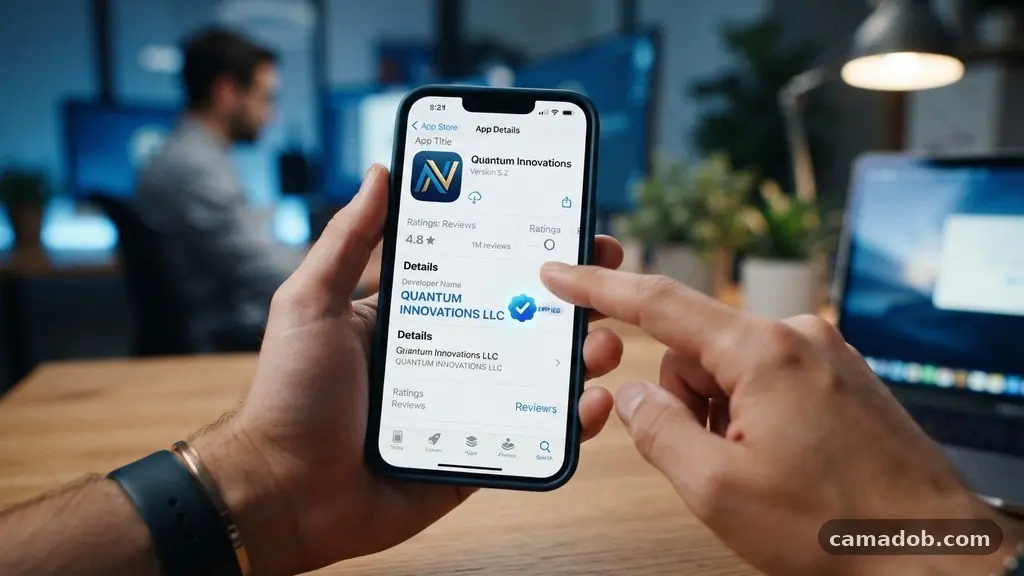
Learning the art of identifying suspicious apps before installing them is one of the most effective ways to protect your digital identity. Cybercriminals often hide malicious code inside seemingly harmless games or productivity tools to harvest your sensitive data. By taking a few extra moments to scrutinize a download, you can save yourself from identity theft, financial loss, and malware infections.
This article breaks down the practical steps you can take to verify software integrity, ensuring your smartphone remains a secure tool for your daily life. You will learn exactly what red flags to look for and how to spot digital deception before it reaches your device.
Verifying the Developer and Publisher
The most reliable indicator of an app’s safety is the reputation of the entity that created it. When you visit a listing, your first step should be Evaluating the Source and Publisher.
Established companies usually have a history of successful releases and a professional online presence. If the developer has only one app in their portfolio, you should approach it with extra caution.
You can often click on the developer’s name in the store to see their other works. A legitimate company will have a consistent theme or a well-maintained catalog of software.
Conversely, a fly-by-night operation might have a collection of unrelated, low-quality apps that seem designed to clutter your screen. Always check if the developer provides a link to an official website.
If you find Vague contact information, such as a generic email address like “user123@gmail.com” instead of a professional domain, treat it as a warning. Reputable developers invest in professional communication channels because they stand behind their products. Lack of a verifiable website or physical address is a major red flag that should stop you from clicking install.
Analyzing User Reviews and Ratings
The collective experience of other users is a powerful tool for vetting software. When Analyzing User Reviews and Ratings, do not just look at the star average.
A high score can be faked through bot networks, so you must read the actual text of the reviews. Look for patterns in how people describe their experience with the software.
Pay close attention to reviews that mention unexpected battery drain or device overheating. These symptoms often indicate that an app is running malicious background processes or mining cryptocurrency without your consent. If many users complain about their phone slowing down after installation, there is a high probability the app is poorly coded or intentionally harmful.
Be wary of reviews that seem overly enthusiastic or generic. Bots often post short, glowing praise that lacks specific details about how the app functions.
Conversely, look for detailed, critical feedback that mentions specific features or bugs. This level of detail is usually a sign of a real human being sharing their genuine experience.
Scrutinizing Requested Permissions
Modern operating systems require apps to ask for permission to access your device’s hardware and data. A flashlight app has no legitimate reason to access your contact list or your camera. When you see a request for invasive permissions that do not align with the app’s stated purpose, you should immediately decline the installation.
Some apps attempt to hide these requests or bundle them into a broad “terms of service” agreement. Always check the specific list of permissions before confirming the download. If an app asks for access to your location services when it is supposed to be a simple offline calculator, it is likely harvesting your data for advertising or tracking purposes.
Here is a quick checklist of common permissions to watch out for:
- Contacts: Only necessary for communication or social apps.
- Microphone: Should be limited to voice recording or communication tools.
- Camera: Check if the app actually requires image capture.
- SMS/Messaging: A major risk for apps that could potentially intercept two-factor authentication codes.
- Location: Generally unnecessary for games or basic utility tools.
Spotting Visual and Branding Clues
The quality of an app’s design is often a reflection of its legitimacy. Scrutinizing the listing for Visual and Branding Clues can reveal a lot about the developer’s intentions.
Look for high-resolution icons, consistent color schemes, and professional screenshots. If the graphics appear pixelated, stretched, or mismatched, the developer likely rushed the product to market.
Textual errors are another common sign of a suspicious application. A professional company will employ editors to ensure their product descriptions are polished and accurate. If you find meaning misspelled words or awkward grammar, it is a strong indicator that the app might be a low-effort scam.
These errors often occur because the app was hastily translated from another language to target a global audience. While not every typo is a sign of malware, a lack of attention to detail is a consistent trait among malicious actors. Trust your instincts; if the presentation feels “off” or amateurish, it is safer to avoid it entirely.
Comparing App Characteristics
It is helpful to compare the behavior and requirements of a suspicious app against a standard, trusted alternative. By looking at the data points, you can see how far outside the norm a potentially malicious application really is.
| Feature | Safe App | Suspicious App |
|---|---|---|
| Developer Info | Verified Website | Generic Email Only |
| Permissions | Relevant to Function | Excessive (Location, Contacts) |
| Reviews | Mixed, Specific Feedback | All 5-star or All 1-star |
| Ads | Standard, Non-intrusive | Aggressive Pop-up Advertisements |
Recognizing Aggressive Advertising
Many free apps support themselves through advertising, but there is a fine line between monetization and harassment. If you notice a pattern of aggressive pop-up advertisements that persist even when the app is closed, you are likely dealing with adware. This type of software is designed to generate revenue for the creator at the expense of your user experience.
Some malicious apps will force ads to appear on your home screen or lock screen. This behavior is a direct violation of the policies for the Google Play Store and other major app marketplaces. If an app feels like it is constantly trying to redirect you to other websites, uninstall it immediately.
Adware can also track your browsing habits to build a profile of your interests. This data is often sold to third-party brokers without your knowledge. By avoiding apps that use intrusive ad tactics, you protect your privacy and reduce the amount of junk data being collected about your digital life.
Understanding In-App Purchases and Financial Risks
Some suspicious apps are designed to trick users into signing up for expensive, recurring subscriptions. They might offer a “free trial” that automatically converts to a high-cost weekly or monthly fee. Always read the fine print before clicking any button that mentions a subscription or a payment.
If an app requires you to enter your financial information for a service that does not seem to justify it, stop immediately. Legitimate developers will use secure, native payment gateways provided by the app store. Never enter your credit card details into a form inside an unknown app.
Be particularly careful with games that promise “free currency” or “unlimited items” in exchange for completing surveys or entering personal details. These are common phishing tactics. If a deal sounds too good to be true, it is almost certainly a scheme to extract money or data from you.
Managing Your Device Security
Even if you are careful, it is important to have a safety net for your device. Keep your operating system updated to the latest version to ensure you have the most recent security patches. These updates often fix vulnerabilities that malicious apps exploit to gain deeper access to your system.
Consider using a reputable security app to scan your device periodically. While these tools cannot stop every threat, they can often flag known malicious signatures or suspicious behavior patterns. You should also regularly review the apps you have installed and remove anything you no longer use.
If you suspect an app is malicious, the best move is to delete it immediately and clear your cache. You may also want to change the passwords for any sensitive accounts you accessed while the app was installed. Taking these proactive steps keeps your digital footprint clean and secure.
Frequently Asked Questions
What should I do if I accidentally installed a suspicious app?
If you realize you have installed a potentially dangerous app, remove it from your device immediately. Go into your settings, find the application, and select uninstall. If the app requested admin permissions, you may need to revoke those in your security settings before it will allow you to delete it.
Why do some free apps need so many permissions?
Many free apps rely on data collection to generate revenue. They often request permissions for your location, contacts, or browsing history to build a profile for targeted advertising. Always ask yourself if the permission is actually necessary for the app to function; if it is not, it is best to deny access or find a different app.
Are apps from unofficial stores safe?
Apps from unofficial sources, often called “sideloading,” carry a much higher risk of containing malware. Official app stores perform automated and manual checks to filter out malicious content. When you download from an unverified website, you bypass these protections and put your device at significant risk.
How can I tell if an app is a clone of a popular one?
Scammers often create “clone” apps that mimic the name, icon, and branding of popular software. Check the developer name closely; a clone will rarely have the same verified developer as the original. If the app feels slightly different or has fewer features than the original, it is likely an unauthorized copy.
Conclusion
Protecting your device is a continuous process that requires vigilance and a bit of healthy skepticism. By knowing how to identify suspicious apps before installing them, you take control of your digital security and keep your personal information away from bad actors. Always verify the developer, read genuine user reviews, and scrutinize every permission request before hitting that download button.
Remember that your smartphone contains a wealth of sensitive data, and a few minutes of research is well worth the peace of mind. If an app gives you a reason to pause or feels inconsistent with your expectations, trust your gut and look for a more reputable alternative. Stay curious, stay cautious, and enjoy a safer mobile experience.