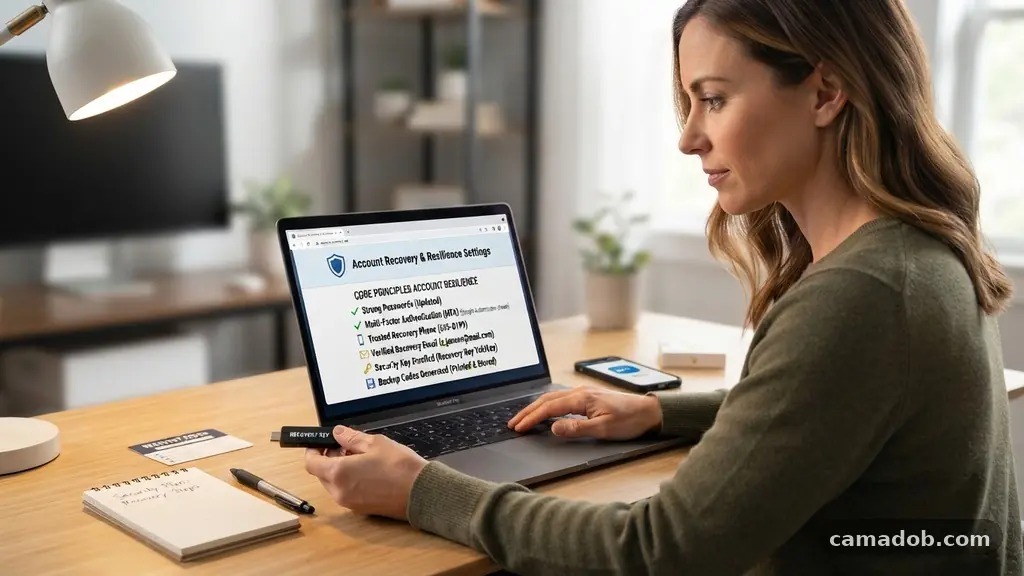
Making your online accounts easier to recover is one of the most effective ways to protect your digital identity from sudden loss. Many users find themselves locked out of vital services due to forgotten passwords, lost devices, or outdated security protocols, which can turn a simple login attempt into an hours-long ordeal.
By proactively establishing multiple pathways for verification, you ensure that a single point of failure does not result in the permanent loss of your data. This process is about shifting from a reactive mindset to a strategic approach, where you control the doors to your digital life before you actually need to use them.
The Core Principles of Account Resilience
The primary reason people struggle with account access is that they rely on a single, fragile method of verification. If that method—such as a specific phone number or a long-forgotten email address—is no longer accessible, you are essentially locked out of your own property. To build true resilience, you must diversify your recovery channels so that the loss of one device or phone number doesn’t trigger a total lockout.
A common mistake is tethering every single account to a single primary email address or a single mobile phone number. If your email provider flags your account for suspicious activity or your SIM card is deactivated by your carrier, you lose the ability to reset passwords for every other site linked to those credentials. Diversification is your best defense against these scenarios.
Setting Up Reliable Recovery Channels
Setting up reliable recovery channels involves providing platforms with multiple ways to verify your identity. Most major services, like Google, Apple, and Microsoft, allow you to add secondary email addresses and backup telephone numbers. Ensure these secondary contact methods are kept up to date; there is little point in having a recovery email on file if you haven’t accessed that inbox in five years.
Consider the role of physical security in your recovery strategy. Many platforms now support hardware tokens, which act as a physical key to verify your identity. Because these devices are kept on your keychain rather than on a server, they are immune to remote hacking attempts and provide a permanent, physical proof of ownership that can bypass almost any software-based lockout.
Utilizing Dedicated Password Managers
Using an encrypted password vault is the most professional way to manage your credentials and recovery information. These tools do more than just store passwords; they often provide secure fields for storing backup codes, security answers, and notes about specific account recovery procedures. When you store your recovery data in a vault, you centralize your security without sacrificing the complexity of your passwords.
If you are concerned about losing access to your password manager, prioritize choosing a service that offers emergency access features. These allow a trusted contact to gain access to your vault after a predetermined period of silence, ensuring that your data remains accessible to your family or business partners if you are unable to reach it yourself. This is an essential safety net that turns an easily managed inconvenience into a solved problem.
Managing Offline Backup Codes
Offline backup codes are often the final line of defense when everything else fails. When you enable two-factor authentication on a site, the service usually generates a list of one-time-use recovery codes. Many users ignore these, but they are vital if you lose your smartphone or if your authenticator app experiences a sync error.
You should print these codes or write them down and store them in a secure, physical location, such as a fireproof safe or a locked document folder. Treat these codes with the same level of care you would provide for a passport or a birth certificate. Because they are offline, they are immune to digital theft, provided you keep the physical paper in a secure spot.
Comparing Common Recovery Methods
The following table highlights the effectiveness of various recovery methods based on their ease of use and long-term security.
| Method | Security Level | Best Use Case |
|---|---|---|
| Secondary Email | Moderate | General account recovery |
| SMS Verification | Low | Quick, temporary access |
| Hardware Tokens | Very High | Critical financial or work accounts |
| Backup Codes | High | Emergency lockout situations |
Handling Multi-Factor Authentication
Multi-factor authentication (MFA) is a double-edged sword that provides excellent security but can complicate access if not configured correctly. If you use app-based authenticators like Authy or similar tools, ensure you have cloud backup enabled if the service supports it. If you lose your smartphone, you will need a way to restore those tokens on a new device without having to contact every single service provider individually.
It is also wise to maintain a list of which accounts use which MFA method. You might have some accounts tied to an app, while others rely on email codes. Keeping a simple, non-sensitive list—perhaps in a physical notebook—that maps out your recovery strategy for each major platform will save you significant time during an emergency.
Common Pitfalls to Avoid
Many people create recovery challenges that are far too easy for others to guess. Keeping track of recovery questions is important, but you should treat the answers like passwords. If your recovery question is “What is your mother’s maiden name?”, a malicious actor can often find that information on social media within minutes.
Instead of answering these questions truthfully, provide a random, complex string of characters or a false answer that only you know. Store these “answers” in your password manager just like you would a generated password. This simple shift in strategy prevents hackers from exploiting your personal history to bypass your security.
* Never use a public computer to perform account recovery.
* Avoid using work email addresses for personal account recovery.
* Update your phone number in all account settings immediately after switching providers.
* Check your security logs periodically to ensure no one else is using your recovery channels.
* Disable “remember this device” settings on public or shared computers.
Frequently Asked Questions
What should I do if I lose my phone and my authenticator app?
If you have set up a backup method, such as a secondary email or hardware token, use that to sign in and generate new codes. If you have no other options, you will need to follow the account recovery process provided by the service, which often involves verifying your identity through a government-issued ID or a series of security questions.
Are security questions actually safe to use?
They are only safe if you treat them as private passwords rather than factual information. Using a real answer to a common question is a major security risk, as that data is often publicly available. Always use a random, stored answer for these prompts.
How often should I update my recovery information?
You should review your recovery channels at least once every six months. This ensures that any changes to your phone number, email address, or trusted devices are reflected in your account settings before you are locked out.
What is the best way to store physical backup codes?
The best approach is to store them in a secure physical environment like a home safe. Ensure that the location is protected from both fire and water damage, and avoid keeping them in a place where unauthorized visitors might find them.
Can I use my work email for personal account recovery?
It is generally a bad idea to use a work email for personal accounts. If you leave your job, you will lose access to that email address and, by extension, all the accounts linked to it. Always use a personal email that you control independently of any employer.
Final Steps for Account Security
Establishing a robust recovery system is a task that pays dividends when a crisis hits. By taking the time to diversify your verification channels, utilize a secure password manager, and keep physical copies of your backup codes, you eliminate the stress associated with being locked out of your digital life. You can learn more about securing your personal accounts by reviewing the official guidelines from the Cybersecurity and Infrastructure Security Agency.
Making your online accounts easier to recover is a simple, proactive habit that grants you peace of mind. Start by auditing your most important accounts today and ensuring that you have at least two independent ways to regain access.